

1943-1970
1943:
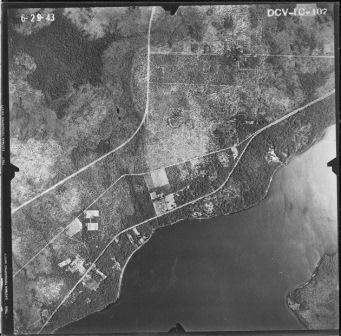
A complete set of photos was taken. They are available online and in printed format at the Archives. To use the online system:
- Choose Clay County
- Choose the Index
- Choose the Sheet that contains your area of interest (1 is the NE, including Orange Park, 2 is NW, including Camp Blanding. 3 is the SW, including Keystone Heights, and 4 is the SE.)
- Click on the Zoomable tab and use the controls to find your desired flight. For example, flight 1C-107 is for the intersection of Blanding and Kingsley.
- Click on the Related Flights tab and choose 1943, and then Flight 1C
- Choose Tile 107, and the photograph will be presented.
1953 and 1970
Similar sets of photos were taken in 1953 and 1970, and they can be accessed in the same way either online or at the Archives. The flight numbers are not the same as in 1953, but the procedure to find them is the same.
1975-Present
1975, 1981, 1984
Several sets of printed aerial photographs are available in the Archives.
They have not yet been cataloged, but the township and range in drawers store them.
1994, 1999, 2002, 2004, 2005, 2006, 2007, 2008, 2010
Google Maps begins providing aerial maps in Clay County in 1994.
Here’s how to access them:
- Install Google Maps (free) [you take the risk, and the Archives does not endorse]
- “Fly to” an address in Clay County.
- Zoom to an altitude less than 48,000 ft (bottom left-hand corner)
- When you are lower than that altitude, a four-digit year will appear in the bottom left (probably 1994).
- Click on that date, and a slider bar will appear in the top left, and you can choose any of the dates listed.